
Delta Force Cheats — Aimbot, ESP & Loot Value Reads for Delta Force Full
Delta Force Full: aimbot with visible check, bone targeting, and stickiness control, player ESP with weapon and view direction reads, loot ESP with minimum price filter and corpse tracking, crosshair customization, and config management on Windows 10 and 11.

Delta Force
Delta Force Cheats
Everything you need.
Aim tools, player ESP, loot reads, and comfort features — each tunable to your playstyle and built to keep the screen as clean or as detailed as you want it.
Aimbot
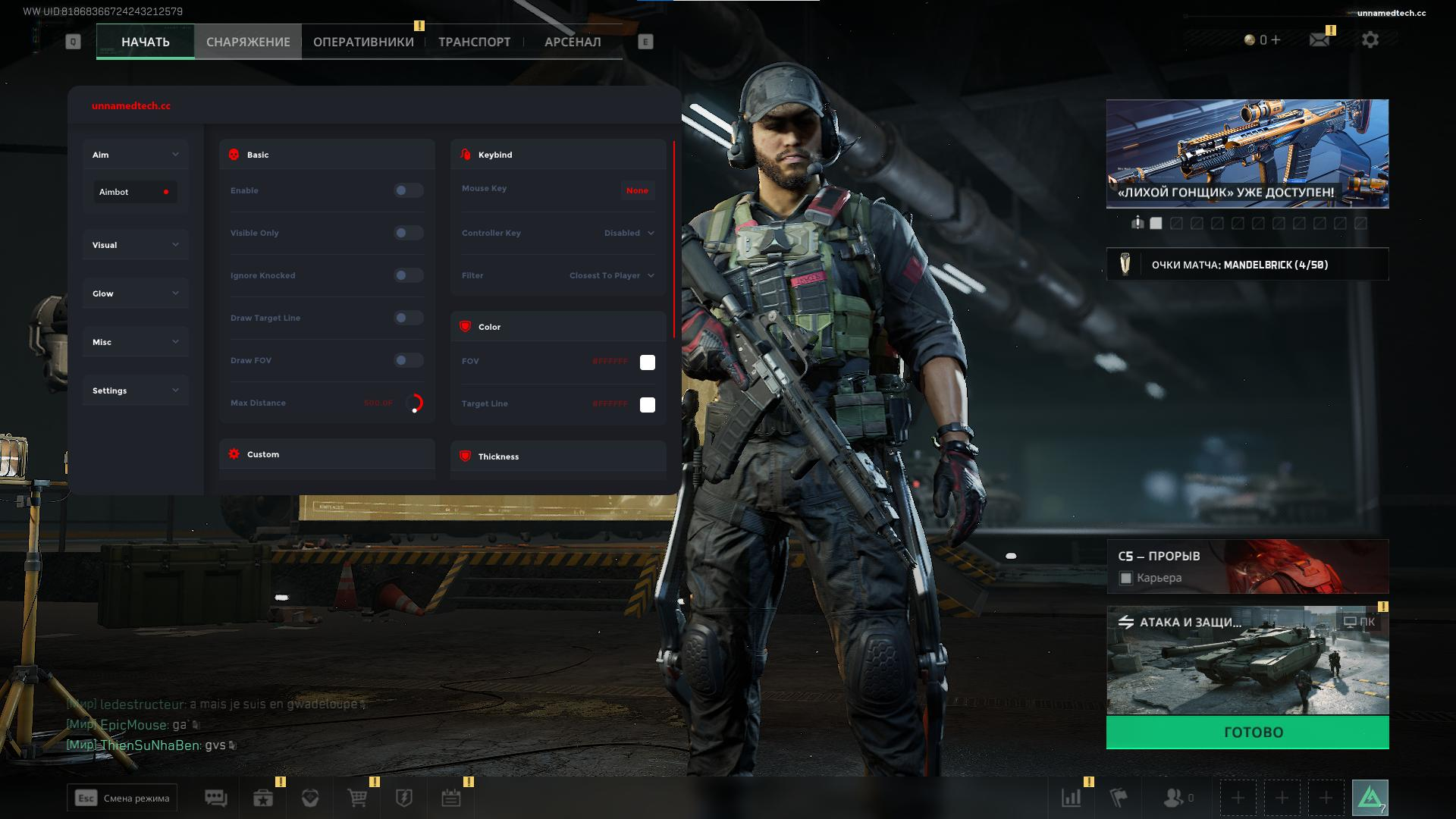
Delta Force Full includes radius, smoothness, speed, stickiness, target filters, bone choices, mouse and keyboard keybinds, controller keybinds, visible checks, ignore knocked, draw FOV, and target line.
Player ESP
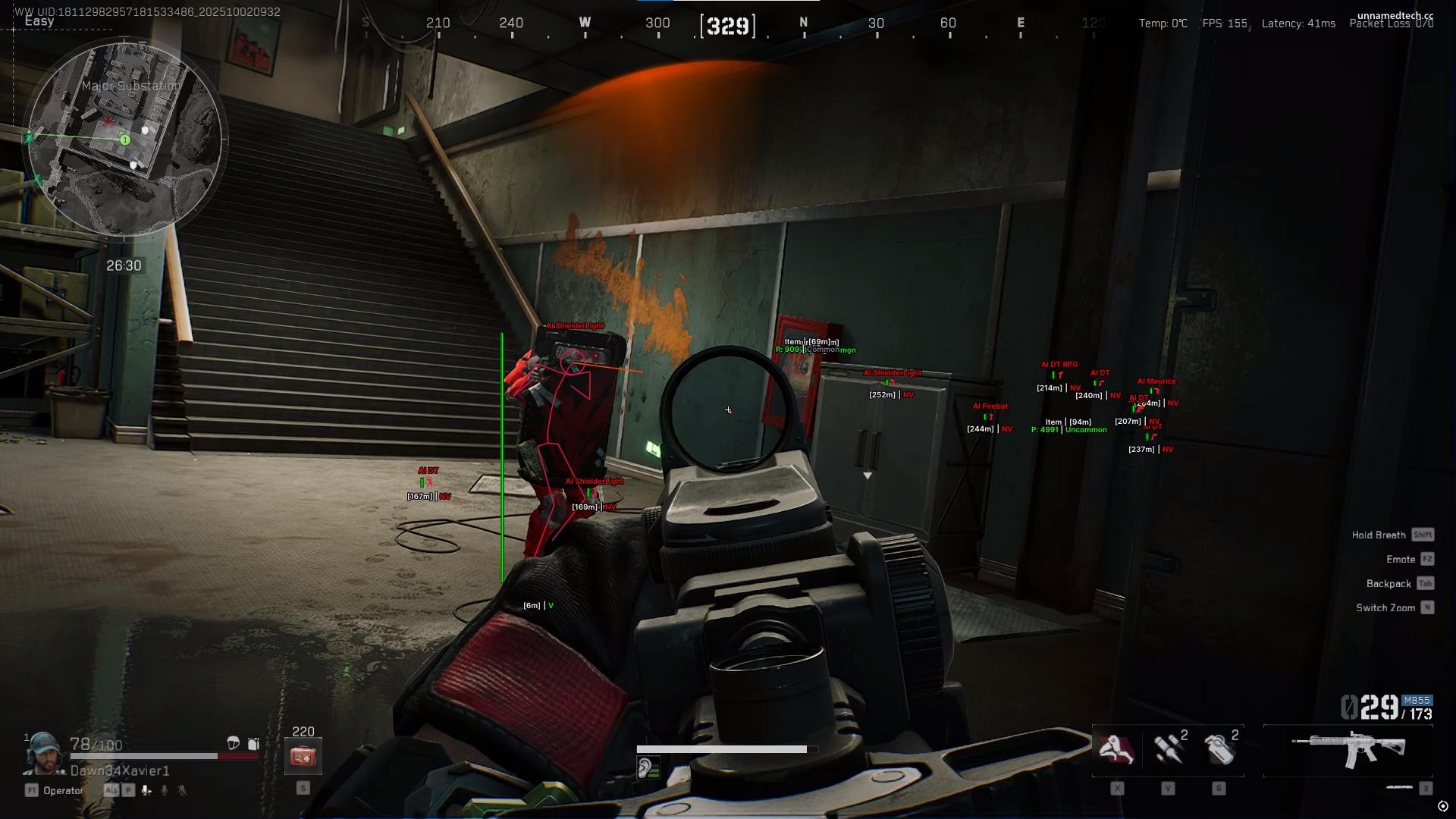
Read player pressure with skeletons, boxes, visible checks, distance, names, team numbers, weapon display, view direction, health bars, head circles, snaplines, and more.
Loot ESP
Find value faster with item names, rarity, distance, price, minimum price filters, max-distance controls, player and AI corpse reads, computers, and related loot information.
Misc & Configs
Use crosshair options, crosshair customization, reports visibility, config system, build information, and unload controls to keep the setup easier to manage.
Full Play Mechanics
A detailed breakdown of every feature, how it works in real matches, and how to set it up for your playstyle.
Delta Force cheats for cleaner aim, stronger reads, and smarter loot decisions every match
Delta Force cheats from Cheesysproducts cover Delta Force Full — the single product in the live category. Delta Force Full includes aimbot with radius, smoothness, speed, stickiness, filter, bone selection, mouse, keyboard, and controller keybind, visible check, ignore knocked, draw FOV, and draw target line. Player ESP with skeleton, box, visible check, distance, name, team number, weapon, view direction, health bar, head circle, and snaplines. Loot ESP with item name, rarity, distance, price, minimum price, max distance, player and AI corpses, and computers. Misc: crosshair with customization, config system, build information, and unload controls. Intel and AMD, Windows 10 and 11 including Windows 11 24H2.
Delta Force is built around gunfights, movement, positioning, loot value, knocked states, team pressure, and quick choices about whether to push, reset, loot, or rotate. Delta Force Full covers each layer of that loop: aim help that can be adjusted for different fight types, player information that explains pressure before you commit, loot reads that support value decisions during rotations, and comfort tools that make the product easier to manage across a full session.
Aimbot: tunable aim for fights that move fast
Delta Force fights can change quickly — a target crosses your view for a second, a knocked player stops being the real threat, and a visible contact appears at an unexpected angle. A fixed aim profile fails across those scenarios. Delta Force Full's aimbot is built for adjustment.
Radius, smoothness, speed, and stickiness
Radius defines the acquisition area — how wide a cone the aimbot monitors for valid targets. Draw FOV renders that cone on screen so you can verify it is sized correctly before a fight starts. Smoothness controls how gradual the correction feels: high smoothness produces organic micro-adjustments that blend with your own mouse movement; lower smoothness produces faster, more direct corrections for CQB engagements. Speed controls how quickly the correction reaches the target. Stickiness controls how firmly the assist stays locked onto an active target once acquired — more stickiness maintains contact through movement and micro-direction changes, less stickiness produces a looser feel that deactivates more readily when targets move outside range. Draw target line provides an on-screen reference showing where the aimbot is currently anchored, useful for verifying selection behavior without having to rely on fight results alone.
Bone, filter, visible check, and ignore knocked
Bone selection determines where on the enemy model the aimbot anchors — head for direct pressure, chest for a larger and more stable target during movement, or a closest-bone approach for adaptive fights. Filter gives additional control over which targets qualify for assistance. Visible check prevents the aimbot from activating through walls, cover, and obstacles, keeping behavior focused on targets you can actually engage and significantly reducing the behavioral signature in recordings and spectator views. Ignore knocked removes downed players from the active target pool so the assist does not continue tracking a knocked enemy while their squadmates are shooting — a practical safety that prevents wasted correction time and improper priority during multi-contact fights. Mouse, keyboard, and controller keybind support lets you activate aim assistance from whatever input layout your setup uses.
Player ESP: pressure reads, weapon awareness, and fight selection
Player ESP in Delta Force Full gives you the information layer that determines whether a fight is worth committing to before you start it.
Position and posture: skeleton, box, distance, snaplines, head circle
Skeleton ESP gives posture context — crouch state, lean direction, movement angle — that a box alone does not capture. Box ESP provides a fast visual anchor for player position across the field of view. Distance tells you whether pressure is immediate or still developing. Snaplines anchor each player to a screen-edge indicator so you can locate players outside your current camera angle without needing to spin through every direction while exposed. Head circle keeps the head hitbox visually prominent even under movement, which matters during fast-paced fights where tracking a head on a running model can be the limiting factor on accuracy.
Tactical reads: weapon, view direction, health bar, team number
Weapon display changes the way you approach a duel — a player holding a strong rifle deserves a different response than someone poorly equipped, and knowing which before you engage changes fight selection decisions. View direction shows which way the target is looking, giving you the timing read that determines whether a peek is risky or open. Health bar tells you whether to commit to a chase, wait for a player to rotate into a worse position, or let secondary pressure finish a damaged target without over-exposing. Team number tells you whether a target is part of a squad or operating solo, which changes how aggressively you can pursue after making contact. Visible check separates players who can currently see your position from players who are behind cover, coloring the two states differently so you know at a glance whether engagement is mutual.
Loot ESP: value filters, corpse reads, and route decisions
Value decisions determine whether a Delta Force session ends with strong gear or wasted time. Loot ESP makes every value decision faster and more deliberate.
Item name, rarity, price, and minimum price filter
Item name and rarity give you immediate identification of what is on the ground without requiring you to approach and inspect. Price shows monetary value at a glance. Minimum price filter is the most operationally useful control in the loot layer — it sets a floor below which items do not appear on the overlay at all. Rather than forcing you to read every item label and make a value judgment in real time, the filter shows only items that meet your threshold, so your attention stays on worthwhile loot rather than noise. Distance display tells you whether an item is on your current route or a detour that would require exposure. Max distance caps the loot ESP range so items across the entire map do not generate visual clutter — only items within an operationally relevant radius appear.
Corpses, computers, and post-fight looting
Player and AI corpse ESP shows value left behind after fights. A player corpse often carries weapons, armor, and items worth recovering — and knowing where it is before you walk toward it tells you whether the exposure is justified. AI corpses carry different value profiles and may be worth checking depending on your current gear state and route. Computer and world object ESP covers additional loot sources that may not be obvious during active movement through a zone. Post-fight loot decisions are one of the fastest ways to accumulate value in Delta Force, and loot ESP makes those decisions without requiring you to manually check every body and container in the area.
Crosshair, configs, and session management
Crosshair options add a persistent center point that operates independently of the game's built-in crosshair state. Crosshair customization lets you adjust shape, size, color, and opacity to match the visual style of your current weapon or preference. A stable crosshair reference is practical for fights where iron sights or scope overlays obscure natural point-of-aim. Config system support is the feature that makes Delta Force Full viable across different session types. One config for aggressive push-focused play, another for loot-heavy route runs, another for a cleaner minimal display — saved separately so you can switch setups without manual re-configuration. Build information shows the current version state of the product. Unload controls let you exit cleanly at the end of a session without leaving processes running.
Setup guide by playstyle
- Aggressive entry: aimbot at moderate radius with visible check on, smoothness calibrated to your weapon's engagement distance, ignore knocked active, target line visible during setup. Player ESP with weapon, view direction, health bar, and team number prominent. Loot ESP minimum price set high — you are not stopping to loot during fights, so filter out low-value clutter. Config saved separately for push-focused play.
- Loot-focused rotation: loot ESP minimum price set to your target threshold, corpse ESP for both player and AI, computers on if relevant to your route. Player ESP with distance and team number for threat awareness without heavy visual emphasis. Aimbot present but not the primary configuration focus. Max distance on loot ESP calibrated to your actual route radius.
- Cautious solo: player ESP with all tactical reads — view direction, weapon, health, team number — at comfortable distance limits. Loot ESP with selective minimum price. Aimbot at conservative radius and high smoothness. Config saved for a minimal display that keeps the screen clean during long sessions.
- All setups: start with one layer at a time. Set aimbot first, verify with draw FOV and target line, then move to player ESP. Add loot ESP after both are stable. Use configs to lock in what works before experimenting further.
Browse the full Delta Force cheats category, go directly to Delta Force Full, or visit the Cheesysproducts homepage. For game background, see the official Delta Force site or Delta Force on Wikipedia.
What players are saying.
Verified purchases across every title in the store. No curated highlights — just what customers left on the product pages.
Switched to their DMA setup last month and haven't looked back. The 1 PC to 2 PC transition was completely seamless thanks to the support team. 100% undetected since day one.
Ai aim assist 10/10 works, support guy was very helpful
V9 Ai aim on ps5 wtf lock very good
I tried to buy from many stores before, and the only store you can trust is Cheesy's Products 👑
Honestly the cleanest ESP I've seen in a while. Doesn't clutter the screen during stacked endgames.
Had some trouble getting my custom firmware flashed initially, but the admin jumped in a discord call and walked me right through it in 10 minutes. W service.
Cheesy on top as usual 🤩
Best product I've used for ranked. Settings are dialled in and it runs clean with no drops.
اشكر متعاون جداً وكان معي لين قدرت اركب الهاك
Undetected for 3 months straight, never had a single issue. Support replies fast too.
والله حلو ١٠/١٠ اخذت UAV
Great seller who cares about his customers and the quality of the products.
The edge you've been looking for.
Instant key delivery, Discord support, and software that runs clean. Join 886 players who already made the switch.